
Community patterns
Free Latch Hook Patterns
Find latch hook charts for rugs, cushions, and wall hangings, designed square-by-square on a rug canvas grid. The editor counts knots per color so you can cut or buy the right amounts. Open a design in the editor to simplify colors, resize it to your canvas, or convert a favorite photo into a hookable grid.
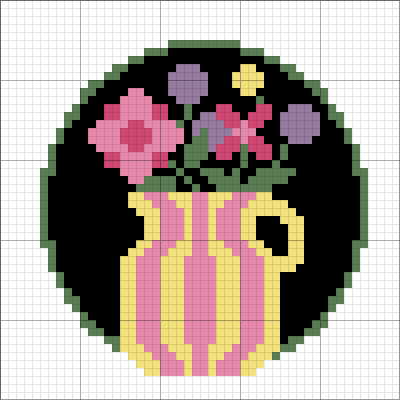
Flower Bouquet
A Craft Studio maker
Frequently asked
- What canvas size do I need?
- Latch hook canvas is usually 3.75 holes per inch. Divide the chart width and height by your canvas count to get the finished size, or open the pattern and let the gauge calculator do it.
- How much yarn does a latch hook project take?
- Each knot uses one pre-cut strand, so the per-color knot counts in the editor's Palette analysis are effectively your shopping list. Pre-cut rug yarn packs typically contain about 320 pieces.
- Can I simplify a busy design?
- Yes. Open it in the editor and delete the colors you don't need, merging each one into a shade you pick, which makes for a much friendlier hooking experience.
Related categories
Free Cross Stitch Patterns
Find cross stitch charts designed and shared on Craft Studio. Each pattern includes its color palette, backstitch overlay where applicable, and a printable PDF-ready chart. Open any design in the editor to swap colors, resize the grid, or preview finished dimensions on your fabric count. Use the Explore Community filters to narrow by difficulty.
Free Diamond Painting Patterns
Explore diamond painting charts created and shared by the Craft Studio community. Each pattern shows drill placement on a square grid with a full color palette. The editor lets you recolor, resize, or combine designs before ordering your canvas. Open any pattern in the editor to check drill counts per color and preview finished dimensions.
Free Perler Bead Patterns
Explore fuse bead designs shared by the Craft Studio community, from small pegboard motifs to multi-panel pieces. The editor shows a bead count per color so you know what to pour before you start. Open any design in the editor to recolor it, resize it to your pegboard, or build your own from a photo.